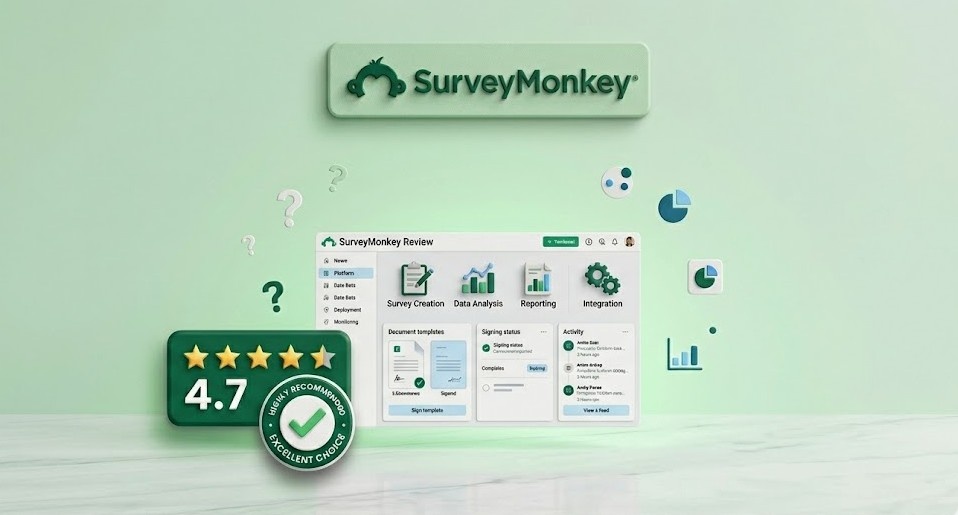
In an era where data-driven decisions are the hallmark of successful businesses, understanding your customers is more critical than ever. SurveyMonkey, a pioneer in the online survey space, has spent over two decades perfecting the art of gathering and analyzing feedback. But in a market now crowded with specialized tools, does the veteran still hold the crown?
From simple internal polls to complex market research studies, SurveyMonkey has built a platform that scales with its users' needs. With the recent integration of advanced AI and machine learning, it's no longer just about asking questions—it's about getting answers that drive growth. In this review, we'll dive deep into why SurveyMonkey remains the standard for businesses seeking actionable insights.
What is SurveyMonkey?
SurveyMonkey is a cloud-based survey development software that allows users to create, send, and analyze surveys. Founded in 1999, it has evolved into a comprehensive feedback platform used by 98% of the Fortune 500. Whether you're measuring customer satisfaction (CSAT), employee engagement, or conducting academic research, SurveyMonkey provides the tools to collect high-quality data and turn it into visual reports.

SurveyMonkey's intuitive builder makes creating complex surveys a breeze.
Key Features of SurveyMonkey
1. Extensive Template Library
One of SurveyMonkey's greatest strengths is its library of over 250 expert-written templates. These aren't just generic questions; they are scientifically designed to eliminate bias and ensure high response rates. Whether you need a Net Promoter Score (NPS) survey or an event feedback form, there's a professional starting point ready for you.
2. Genius AI: Your Survey Assistant
SurveyMonkey's "Genius" AI is a game-changer. It analyzes your survey as you build it, providing a "survey score" and suggesting improvements to your questions. It can even predict your completion rate and help you identify potential pitfalls before you hit send. This ensures that every survey you distribute is optimized for success.
3. Advanced Logic and Branching
To keep surveys relevant for every respondent, SurveyMonkey offers sophisticated skip logic and branching. You can show or hide questions based on previous answers, ensuring that respondents only see what's applicable to them. This personalized experience leads to higher quality data and lower abandonment rates.
4. Powerful Analysis and Reporting
Collecting data is only half the battle. SurveyMonkey's analysis tools allow you to slice and dice your results with filters, cross-tabs, and sentiment analysis. You can create beautiful, presentation-ready charts and dashboards that update in real-time as new responses come in, making it easy to share insights with stakeholders.
5. Multi-Channel Distribution
Reach your audience wherever they are. SurveyMonkey supports distribution via email, web links, social media, QR codes, and even mobile app integration. Its robust email collector includes tracking features, so you know exactly who has responded and who needs a gentle reminder.
Pros and Cons
Pros
- Unbeatable library of expert templates and questions.
- Powerful AI features for survey optimization (Genius AI).
- Excellent integration with tools like Salesforce, HubSpot, and Slack.
- High security and compliance standards (GDPR, HIPAA).
- Real-time, presentation-ready reporting and analytics.
Cons
- The free plan is very limited (10 questions, limited responses).
- Pricing for individual pro plans can be quite high.
- Advanced logic features are only available on higher tiers.
- The interface, while powerful, can feel slightly dated to some.
Pricing Overview
SurveyMonkey offers various plans for individuals and teams:
- Basic: $0/month. Includes unlimited surveys but is limited to 10 questions and a small number of viewable responses.
- Individual Advantage: $34/month. Includes 1,000 responses per month, skip logic, and data export.
- Team Advantage: $25/user/month. Includes collaborative features, shared folders, and library management.
- Enterprise: Custom pricing. Includes HIPAA compliance, SSO, advanced security, and dedicated support.
Use Cases
1. Customer Experience (CX) Teams
CX professionals use SurveyMonkey to track NPS, CSAT, and Customer Effort Scores (CES). By automating these surveys at key touchpoints, they can identify pain points and improve the customer journey.
2. HR and People Operations
From employee engagement surveys to 360-degree feedback, HR teams rely on SurveyMonkey to gauge company culture and gather honest feedback from their workforce while maintaining anonymity.
3. Market Researchers
Researchers use the platform to test new product concepts, brand awareness, and competitive positioning. SurveyMonkey's "Audience" service even allows you to buy responses from specific demographics.
Comparison: SurveyMonkey vs Typeform
While Typeform is known for its beautiful, "one-question-at-a-time" conversational interface, SurveyMonkey is built for power and scale. If you need deep analysis, complex logic, and robust enterprise features, SurveyMonkey is the clear winner. Typeform is excellent for high-engagement lead generation forms, but SurveyMonkey is the superior tool for serious research and data analysis.
Final Verdict
SurveyMonkey remains the gold standard for online surveys for a reason. Its combination of ease of use, scientific rigor, and powerful analytics is hard to beat. While it may be more expensive than some newer alternatives, the value of the insights it provides—and the security of its platform—makes it a worthwhile investment for any organization that takes feedback seriously.
Unlock Actionable Insights with SurveyMonkey 🐒
Start listening to your customers and making data-driven decisions today.
Create Your First SurveyFrequently Asked Questions (FAQ)
Can I use SurveyMonkey for free?
Yes, SurveyMonkey offers a basic free plan. It's great for simple polls, but it has significant limitations on the number of questions and viewable responses.
Is my data secure on SurveyMonkey?
Absolutely. SurveyMonkey employs enterprise-grade security measures, including data encryption and SOC 2 compliance. They also offer HIPAA-compliant plans for healthcare organizations.
Can I export my survey results?
Yes, paid plans allow you to export your data in multiple formats, including PDF, Excel, CSV, and SPSS, making it easy to perform further analysis or share reports.
What is SurveyMonkey Genius?
SurveyMonkey Genius is an AI-powered assistant that helps you build better surveys by providing real-time feedback on your questions and predicting your success rates.