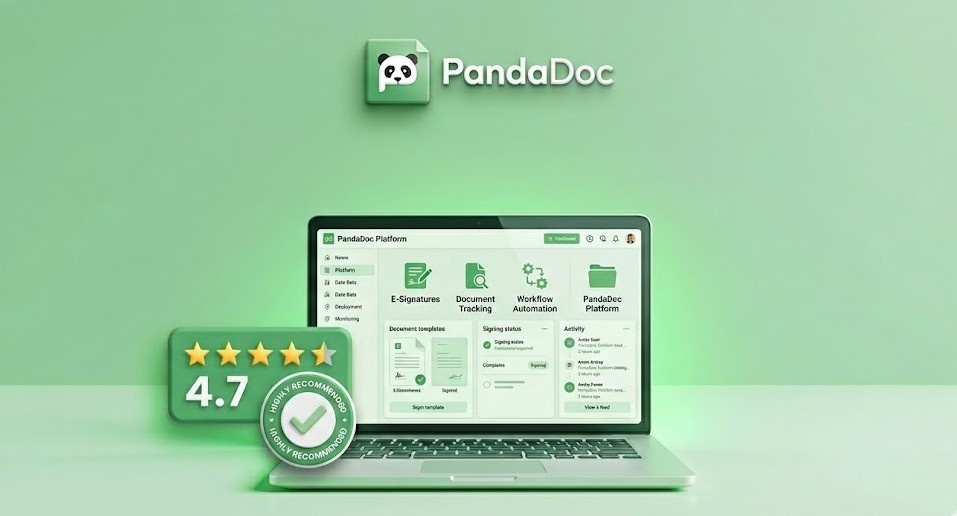
The "last mile" of any sales deal is often the most frustrating. You've done the hard work of convincing the prospect, but now you're stuck in a loop of sending PDFs, waiting for signatures, and manually correcting typos in contracts. PandaDoc was built to solve exactly this problem, transforming the document workflow from a bottleneck into a competitive advantage.
PandaDoc isn't just an eSignature tool; it's a comprehensive document automation platform. It allows teams to create, track, and sign proposals, quotes, and contracts with unprecedented speed and precision. In this review, we'll explore how PandaDoc's features can help your sales and legal teams close deals faster and more efficiently.
What is PandaDoc?
PandaDoc is an all-in-one document automation software that streamlines the process of creating, approving, and eSigning digital documents. It's particularly popular among sales, marketing, and legal teams who need to handle high volumes of critical documents. By providing a centralized platform for document management, PandaDoc helps eliminate manual errors and provides real-time visibility into the status of every deal.

PandaDoc's drag-and-drop editor allows you to create stunning, professional proposals in minutes.
Key Features of PandaDoc
1. Intuitive Document Editor
PandaDoc's drag-and-drop editor is a joy to use. It allows you to build documents from scratch or use one of their hundreds of professional templates. You can easily add text blocks, images, videos, and even interactive pricing tables. The editor ensures that every document you send looks professional and is consistent with your brand identity.
2. Robust eSignature Capabilities
At its core, PandaDoc provides legally binding eSignatures that are compliant with global standards (ESIGN and UETA). Signers can easily sign on any device, and you receive an automatic notification the moment they do. This eliminates the need for printing, scanning, and mailing physical documents.
3. Real-Time Document Tracking
One of the most powerful features of PandaDoc is its tracking capability. You can see exactly when a prospect opens your document, which pages they spent the most time on, and when they finally signed. This intelligence allows you to time your follow-ups perfectly and address any concerns the prospect might have before they even ask.
4. Automated Workflows and Approvals
PandaDoc allows you to set up automated approval workflows. For example, you can require that all contracts over a certain dollar amount be approved by a manager before they are sent to the client. This ensures compliance and reduces the risk of errors in your most important documents.
5. Deep CRM Integrations
PandaDoc integrates seamlessly with popular CRMs like Salesforce, HubSpot, and Zoho. This allows you to pull data directly from your CRM into your documents, eliminating manual data entry and ensuring that your contracts always have the correct client information.
Pros and Cons
Pros
- Powerful document editor with interactive elements.
- Detailed tracking and analytics on document engagement.
- Excellent library of professional templates.
- Seamless integration with major sales and CRM tools.
- Legally binding eSignatures included in all plans.
Cons
- Pricing can be higher than simple eSignature alternatives.
- The mobile app is good but not as powerful as the web version.
- Some advanced automation features require higher-tier plans.
- Occasional learning curve for setting up complex CRM syncs.
Pricing Overview
PandaDoc offers several plans to fit different business sizes:
- Free eSign: $0/month. Includes unlimited eSignatures and document uploads.
- Essentials: Starting at $19/user/month. Includes the document editor and professional templates.
- Business: Starting at $49/user/month. Includes CRM integrations, content library, and branding options.
- Enterprise: Custom pricing. Includes advanced security, SSO, and dedicated support.
Use Cases
1. Sales Teams
Sales reps use PandaDoc to create professional proposals and quotes that stand out. The ability to track when a prospect opens a proposal allows them to time their follow-up calls for maximum impact.
2. HR Departments
HR teams use PandaDoc for offer letters, onboarding documents, and employee handbooks. The automated workflows ensure that all necessary approvals are obtained before a document is sent.
3. Legal and Operations
Legal teams use PandaDoc to manage contracts and NDAs. The template library and content locking features ensure that only approved legal language is used in critical documents.
Comparison: PandaDoc vs DocuSign
While DocuSign is the clear market leader in pure eSignatures, PandaDoc offers a much more robust document creation experience. DocuSign is excellent for signing existing PDFs, but PandaDoc allows you to build interactive, trackable documents from scratch. For sales teams who need to create proposals that sell, PandaDoc is often the superior choice.
Final Verdict
PandaDoc is a transformative tool for any organization that relies on documents to do business. By combining a powerful editor with robust tracking and eSignature capabilities, it successfully streamlines the entire document lifecycle. If you're looking to professionalize your proposals and close deals faster, PandaDoc is a investment that will pay for itself in saved time and increased conversion rates.
Accelerate Your Deals with PandaDoc ✍️
Create, track, and sign documents in record time.
Start Your Free TrialFrequently Asked Questions (FAQ)
Are PandaDoc eSignatures legally binding?
Yes, PandaDoc provides legally binding eSignatures that comply with major global regulations, including the ESIGN Act and UETA in the United States and eIDAS in the EU.
Can I use PandaDoc with my CRM?
Absolutely. PandaDoc offers deep, two-way integrations with leading CRMs like Salesforce, HubSpot, and Pipedrive, allowing for seamless data sync and document creation.
Is there a free version of PandaDoc?
Yes, PandaDoc offers a Free eSign plan that includes unlimited eSignatures and document uploads, making it great for individuals and small teams starting out.
What document types does PandaDoc support?
PandaDoc supports a wide range of documents, including proposals, quotes, contracts, NDAs, invoices, and employee onboarding forms.