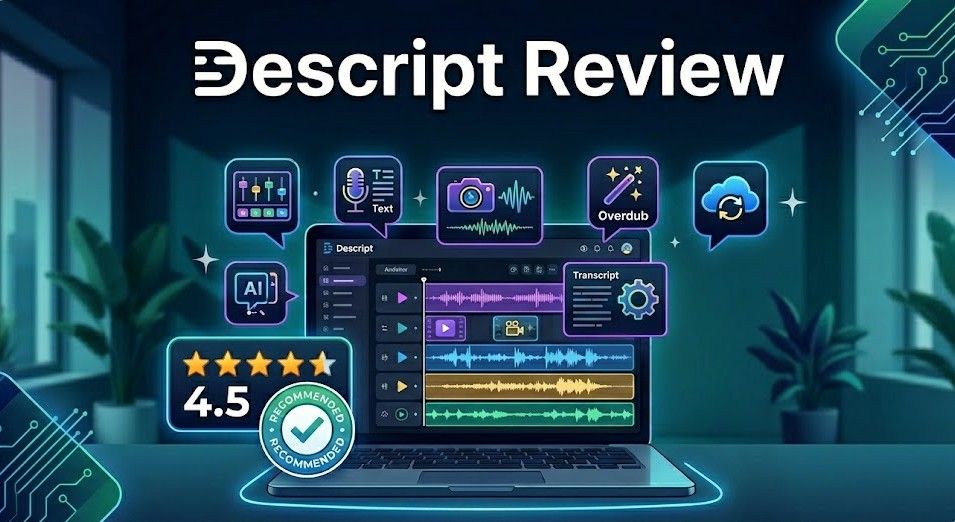
Editing video and audio has traditionally been a tedious, time-consuming process that requires specialized skills and complex software. But what if you could edit a video as easily as editing a Word document? That's the promise of Descript, an AI-powered editor that is fundamentally changing how content creators approach post-production.
In an era where video content is king, tools that can significantly reduce production time while maintaining high quality are worth their weight in gold. Descript has emerged as a leader in this space, offering features that once seemed like science fiction. In this review, we'll explore why Descript is becoming the essential toolkit for podcasters, YouTubers, and social media marketers.
What is Descript?
Descript is a collaborative audio and video editor that uses AI to transcribe your media into text. Once transcribed, you can edit your audio or video simply by editing the text. Delete a sentence in the transcript, and it's gone from the video. Rearrange paragraphs, and the media follows suit. It's an intuitive approach that makes professional-grade editing accessible to everyone.
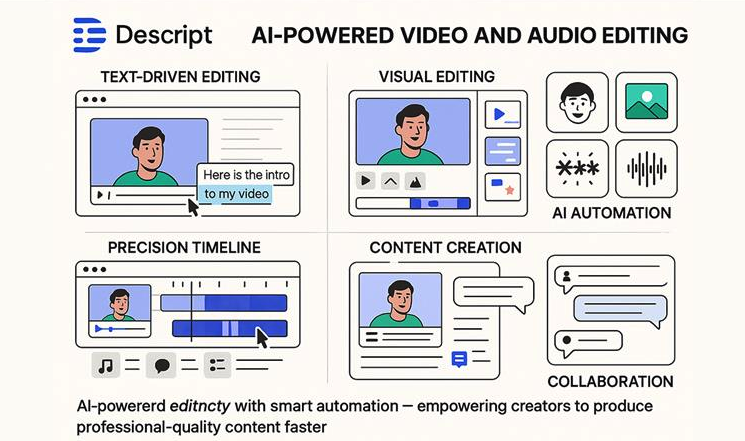
Descript's unique 'edit by text' workflow simplifies complex video productions.
Key Features of Descript
1. Text-Based Video and Audio Editing
The headline feature of Descript is its transcription-led editing. The software automatically transcribes your recordings with impressive accuracy. From there, you can cut out filler words, remove entire sections, or even move clips around just by interacting with the text. This "non-linear" editing approach saves hours of scrubbing through timelines.
2. Overdub: AI Voice Cloning
Ever found a mistake in your recording after you've packed up your gear? With Descript's Overdub, you can create a digital clone of your voice. If you need to fix a word or add a sentence, you simply type it in, and Descript generates the audio in your voice. It sounds remarkably natural and is a lifesaver for correcting minor errors without re-recording.
3. Studio Sound
Not everyone has access to a professional recording studio. Descript's Studio Sound feature uses AI to remove background noise, echo, and improve the overall clarity of your audio. It can make a recording done on a laptop microphone in a noisy room sound like it was captured with a high-end mic in a treated space.
4. Filler Word Removal
"Um," "uh," and "you know" can clutter a podcast or video. Descript can identify these filler words automatically and remove them with a single click. You can choose to delete them entirely or just shorten the gaps they leave behind, making your content sound much more polished and professional.
5. Eye Contact Correction
One of Descript's newer AI features is Eye Contact. If you were looking at your notes instead of the camera during a recording, Descript can digitally adjust your eyes so it looks like you're maintaining direct eye contact with the viewer. It's a subtle but powerful way to increase viewer engagement.
Pros and Cons
Pros
- Incredibly fast workflow for talking-head videos and podcasts.
- Powerful AI features like Studio Sound and Overdub.
- Collaborative features allow teams to work together in real-time.
- Regular updates with cutting-edge AI technology.
- Makes professional editing accessible to non-editors.
Cons
- Subscription-based pricing can get expensive for heavy users.
- Requires a strong internet connection for many features.
- Not as powerful as Premiere Pro for complex, highly stylized video work.
- The AI voice cloning (Overdub) requires a setup process for security.
Pricing Overview
Descript offers several pricing tiers to suit different needs:
- Free: Includes 1 hour of transcription per month, 720p video export, and basic features.
- Creator: $12/month. Includes 10 hours of transcription per month, 4K video export, and filler word removal.
- Pro: $24/month. Includes 30 hours of transcription per month, unlimited Studio Sound, and full Overdub capabilities.
- Enterprise: Custom pricing. Designed for large teams with advanced security and dedicated support.
Use Cases
1. Podcasters
Descript is a game-changer for podcasters. The ability to edit audio by text, remove filler words automatically, and use Studio Sound to polish the audio quality makes the entire production process significantly faster.
2. YouTubers and Social Media Creators
For creators making talking-head videos, Descript's text-based editing and Eye Contact correction are invaluable. It allows for quick cuts and ensures a high level of viewer engagement without the need for complex editing software.
3. Internal Communications and Training
Businesses can use Descript to quickly create and edit training videos or internal updates. Its ease of use means anyone in the company can produce professional-looking video content.
Comparison: Descript vs Adobe Premiere Pro
It's important to understand that Descript is not a direct replacement for high-end editors like Premiere Pro. While Premiere Pro offers unparalleled control over every frame and pixel, Descript focuses on speed and ease of use for content that is primarily speech-driven. For many modern creators, the time saved in Descript far outweighs the deep technical control of Premiere Pro.
Final Verdict
Descript is a visionary tool that has successfully identified and solved the biggest pain points in modern content creation. By leveraging AI to make editing as simple as writing, it has opened the door for a new generation of creators. If you spend any significant amount of time editing video or audio, Descript is not just a tool you should try—it's a tool you probably need.
Transform Your Content with Descript 🎬
Start editing your videos and podcasts as easily as a document.
Try Descript for FreeFrequently Asked Questions (FAQ)
Can I really edit video by editing text?
Yes! Descript transcribes your video, and any changes you make to the text (deleting words, moving sentences) are automatically reflected in the video timeline.
Is Studio Sound available for free?
Studio Sound is available on the free plan with some limitations. For unlimited use and the best quality, a paid subscription is recommended.
Does Descript work on Mac and Windows?
Yes, Descript has native applications for both macOS and Windows, as well as a web-based version for quick edits.
Is my data safe with Descript's AI voice cloning?
Yes, Descript has strict security protocols for Overdub. You must provide a specific voice recording to prove ownership before you can clone your own voice.